


Practical Application of Mendel 5.0: How to Investigate Security Incidents
News | 19.11.2026
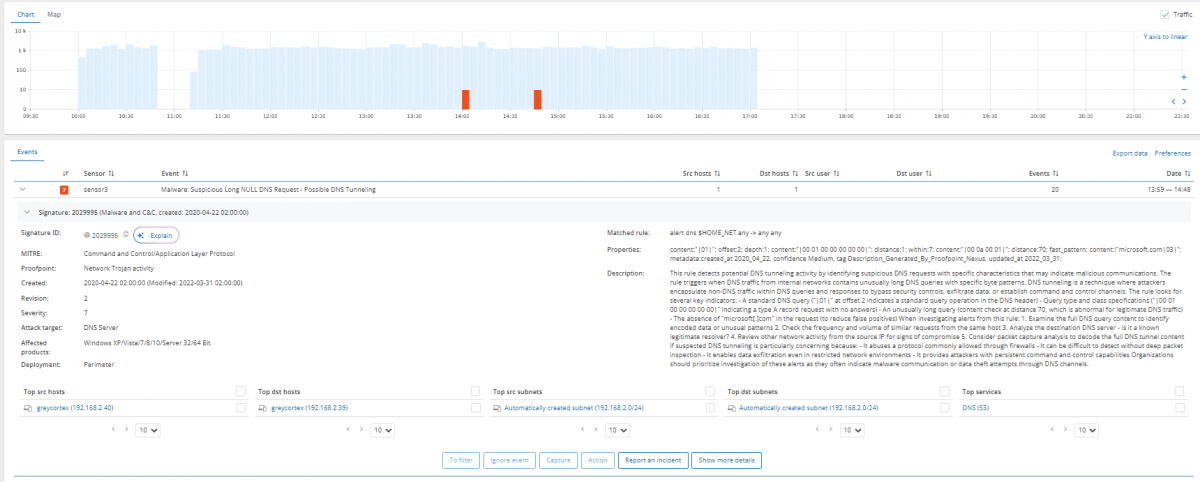
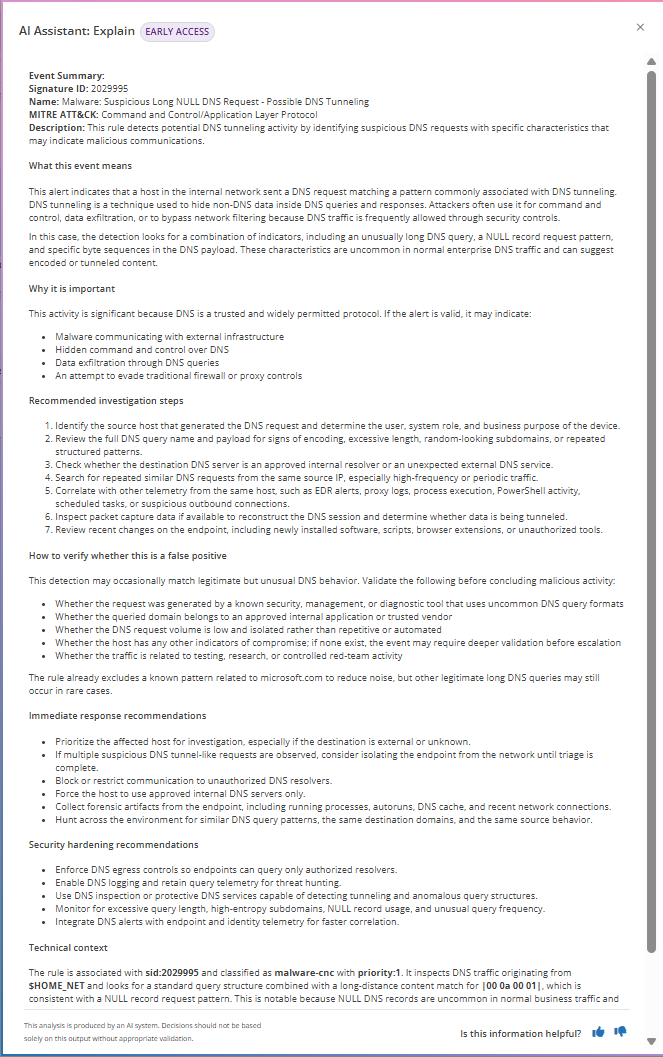
An event name like “suspicious long NULL DNS requests, possible DNS tunneling” tells an experienced specialist a lot. However, less experienced SOC analysts often need more context. By itself, the incident name does not answer the key questions: is this threat real, and what exactly should be done next? The same detection can indicate either confidential data exfiltration from the network or a legitimate testing tool left running in a lab.
In this in-depth technical overview, we take a closer look at the built-in AI Assistant module, which helps IT specialists at various stages of an investigation. The tool reads and analyzes data already collected by GREYCORTEX Mendel 5.0, and every answer starts with the detected finding, backed by logical reasoning.
Key features of the tool
Internal host identification
Automatic determination of a device's role within the corporate network.
- Artificial intelligence identifies the likely role of the device based on deep analysis of L7 metadata, hostnames, assigned tags, MAC addresses, and running network services.
- The feature is activated via the “Identify device role” button in the host dialog window.
- Example: if there is a host in the network without a clear name, the system examines its active services and metadata, accurately identifying it as, for instance, an internal DNS server.
External address verification
Assessment of risks associated with unknown external connections.
- The system evaluates the IP address and classifies it as malicious, suspicious, reconnaissance, benign, likely benign, or unknown.
- The assessment is based on application data, blacklist records, and GREYCORTEX's own global reputation database.
- The “Check IP reputation” button shows how the address is perceived on the global internet—whether it is tied to a single service or shared across multiple services.
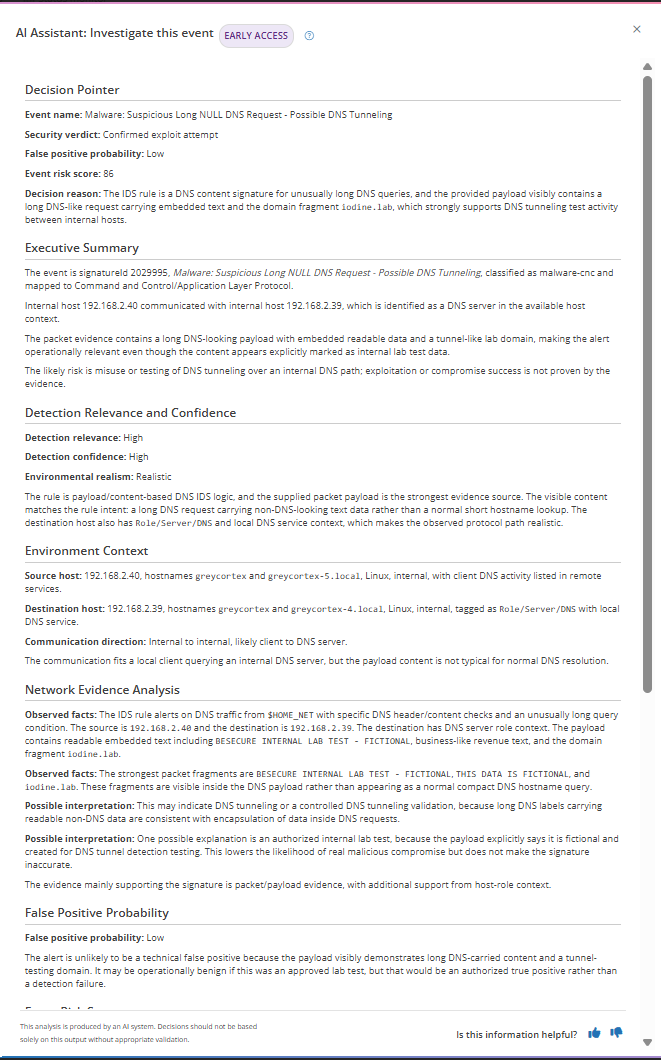
Event explanation
Transformation of technical alerts into a clear and structured report.
- The tool explains in detail what a specific detection means and why it poses a threat to the infrastructure.
- Automatically maps the detected incident to the corresponding tactic and technique from the MITRE ATT&CK framework.
- Provides recommendations on how to check the event for a false positive (available via the “Explain” button).
Incident investigation
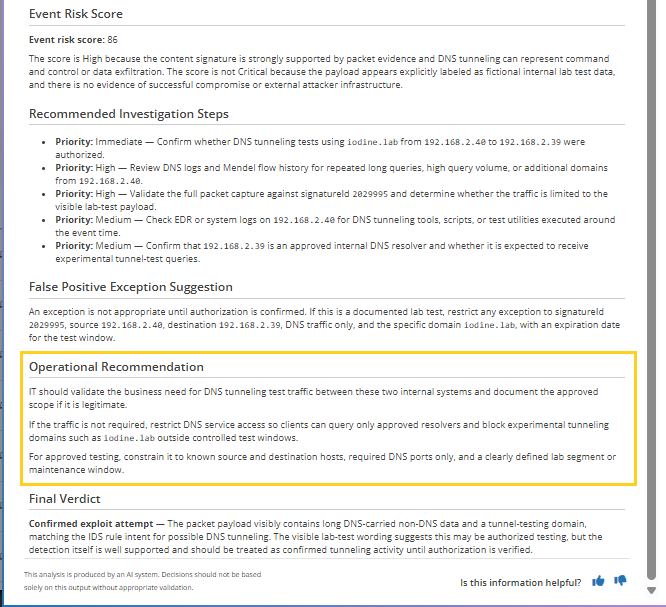
Deep analysis of traffic context and verdict generation.
- The tool examines the recorded traffic (communications) behind a specific incident.
- Provides an automated verdict and calculates the false positive probability (as a percentage).
- Generates step-by-step recommendations for the analyst's next actions (the “Investigate this event” option in the dropdown menu).
AI Assistant can provide answers in English, Czech, German, or Polish. This setting works independently of the system's base interface language.
Step-by-step investigation: from alert to resolution
Let's look at how the tool works using a real-world example: the system detected possible DNS tunneling. This protocol is widely used across networks, but attackers can exploit it as a covert channel for malware command and control (C2) or data exfiltration. Since legitimate administrative utilities can behave similarly, a single alert is not enough to classify the activity as malicious.
Threat significance assessment
- The assistant explains that this rule captures DNS requests long enough to covertly transmit data.
- The analyst gains an understanding of the threat mechanics, but still needs to investigate the specific traffic on the specific host.
Confirming tunneling in traffic
- The tool analyzes the intercepted communication between the source and the destination.
- Long encoded queries and repeated domain fragments characteristic of a known hacking utility are found in the payload.
- System verdict: the evidence strongly confirms behavior characteristic of tunneling.
- Important clarification: the system notes that the presence of a tunnel is not absolute proof of a successful attack and provides the reasoning behind the false positive probability.
Context verification and taking action
- The analyst has strong technical evidence of tunneling, but must determine its business legitimacy.
- The next step is an inquiry to system administrators: is DNS tunneling permitted on this specific device?
- In this scenario, it was permitted (a testing program was running). The incident is classified as a false positive.
- The system suggests creating a granular exception for this signature, source, destination, and traffic direction. Alerts for this host stop, while the rule continues to reliably protect the rest of the IT infrastructure.
Want to test the full incident investigation workflow in Mendel 5.0? Contact the specialists at Softprom — the official distributor of GREYCORTEX. Our expertise and support at all stages of implementation will help you build reliable cyber defense. Request a free consultation or a pilot project.
Share:


