


Moving from Personal Gmail to Google Workspace: How to Put Your Business Tools in Order Before the New Year
Promotions | 19.11.2026
Softprom has been a Google partner since 2012 and is a Google Workspace Premier Partner. Since 1999, the company has operated as a value-added IT distributor across Central and Eastern Europe, the South Caucasus and Central Asia. This article covers how to tell when a business has outgrown personal mailboxes and free tools, and what a managed Google Workspace environment brings in security, access control and AI. You can start on good terms — a 30-day trial and 10% off the first year, with the offer now extended until 24 December 2026.
Personal Email and Free Tools: When to Rethink the Usual Approach
Many businesses start the same way: the founder’s personal Gmail, a few free accounts for the team, files in someone’s personal cloud and work chats in messengers. It costs nothing and it works — until the questions start:
- Who owns the data? When someone leaves, client correspondence and working files stay in their personal account, outside the company’s control.
- Who has access to what? Only the file owner knows who can open the pricing sheet or the contracts folder, and passwords get shared in chats.
- Can you show it to an auditor or a client? GDPR expects a company to know where personal data sits and who can reach it — hard to prove across a dozen private accounts.
- Does the address build trust? Emails from @gmail.com rarely look as credible to partners and procurement teams as an address on the company’s own domain.
- Is storage running out? A free account’s 15 GB is shared between Gmail, Drive and Photos.
If two or more of these sound familiar, the end of the year is a good moment to sort it out. December usually leaves room for a short project, and the team returns in January to a tidy, managed workspace.
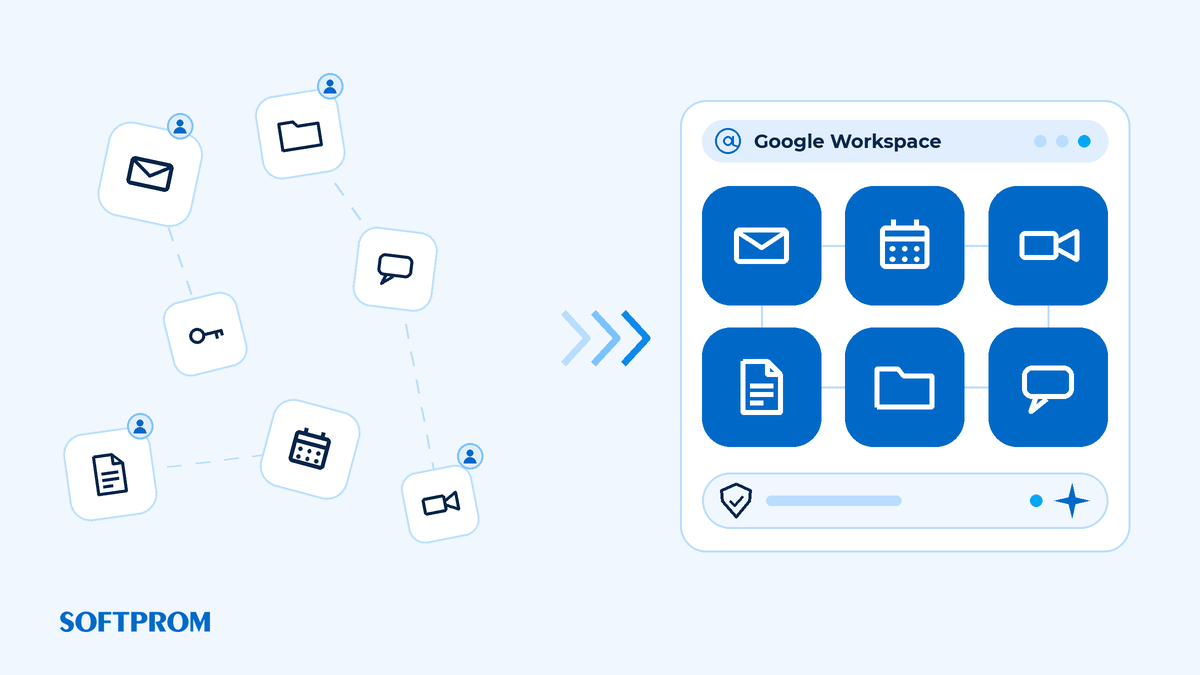
Company-Owned Infrastructure: More Than Just Email
Google Workspace is Google’s suite of cloud services for business: Gmail on your company domain, Calendar, Meet, Drive, Docs, Sheets, Slides, Chat and the Gemini AI assistant, all managed from one admin console.
- Accounts and shared resources the company owns. Addresses such as sales@ or office@, shared calendars and shared drives (from Business Standard) stay with the business when people come and go; onboarding and offboarding take minutes.
- Security you control. Enforced 2-Step Verification, central access management and remote wiping of work data from a lost phone. Audit logs show who did what, which helps with GDPR accountability and, where it applies to you, NIS2. In selected editions, administrators can also choose to keep covered data in Europe.
- Gemini as a team assistant. In Gmail, Docs, Sheets and Meet, Gemini drafts emails, summarises long threads and helps with formulas and data analysis, while Gemini Notebook works with your own documents. The features available depend on the edition.
- Collaboration without attachments. Several people work in one document at once, comment and see the version history; a Meet call starts straight from Calendar or Gmail.
- Integrations. Google Workspace connects to CRM, accounting and project tools via Google Workspace Marketplace, and Apps Script automates repetitive steps in Sheets, Docs and Gmail.
The Right Tools for Each Team
A managed environment does not mean one plan for everyone. A mixed Google Workspace subscription lets one company combine Business Starter, Business Standard, Business Plus and Enterprise, so each team gets the storage, features and protection it needs:
- Business Starter — email on your domain, Meet, 30 GB of storage per user and core Gemini features; for people who mainly need email and calendar.
- Business Standard — 2 TB per user, shared drives and meeting recordings; for teams working with documents and clients every day.
- Business Plus — 5 TB per user, Google Vault for retention and eDiscovery, and advanced device management; for management, finance and anyone handling sensitive data.
- Enterprise — for organisations that need advanced security and data controls.
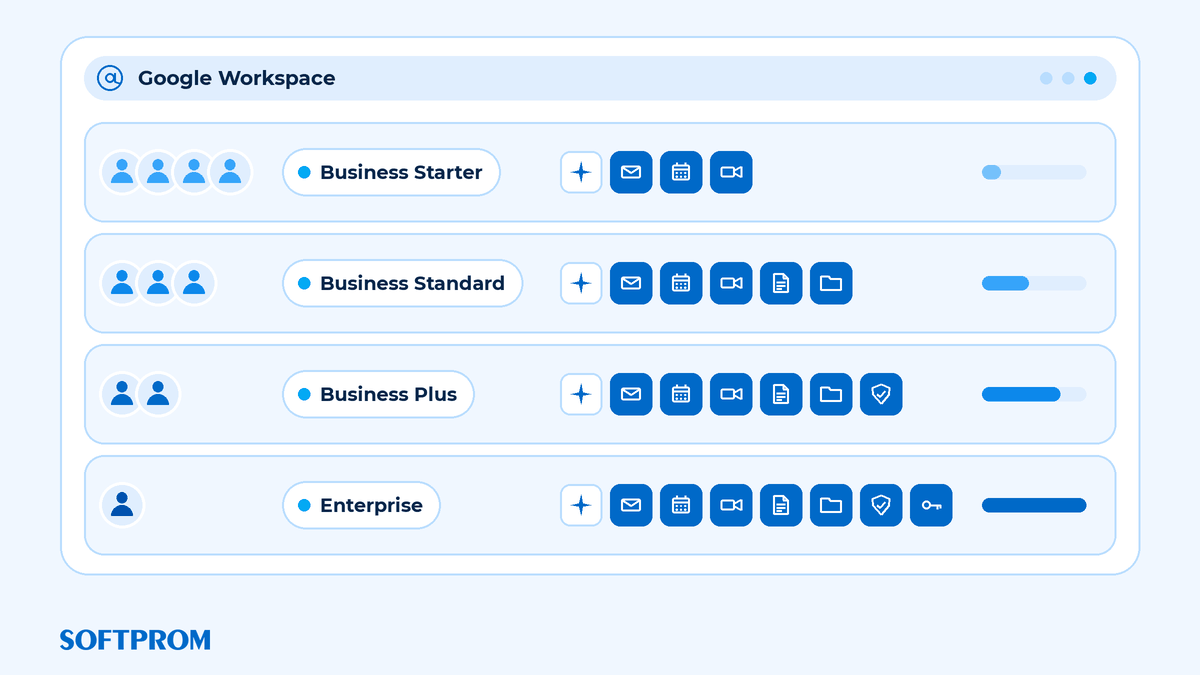
Each team gets what it actually uses, and the budget goes on features people rely on. Softprom specialists can help you work out the right mix.
Why Buy Google Workspace Through Softprom
- Google partner since 2012. Softprom is a Google Workspace Premier Partner and runs its own business on Google Workspace every day.
- Proper paperwork. A contract, invoices in local currency and the accounting documents your finance team needs.
- Local presence. 14 regional offices and a Cloud team that advises in English and local languages.
- Advice before you buy. We help you decide which edition or mix of editions fits and how to plan the move away from personal accounts.
- International reach. A value-added IT distributor since 1999, headquartered in Vienna and working in 33 countries — useful if your teams or clients are spread across borders.
Start on Good Terms: Offer Extended Until 24 December 2026
New Softprom clients get two benefits:
- A 30-day trial instead of the standard 14 days — enough time to move part of the team and test Google Workspace on real work.
- 10% off the first year on any Google Workspace business plan.
Applications are open until 24 December 2026 inclusive. Apply before the festive break and the trial runs through the holidays into January, so you start the new year with company email and clear access rules. More about the terms in Google Workspace: 30-Day Trial for New Business.
Softprom is a Google Workspace Premier Partner. Request a trial or a consultation, and a Cloud team specialist will help you choose the right editions for your team.
FAQ: Moving to Google Workspace
Business email runs on your company domain and belongs to the company: an administrator creates and removes accounts and manages access and security. Personal Gmail belongs to an individual, and the company controls neither the account nor its data.
Yes. Google provides tools to migrate email, contacts and calendars; Drive files are moved separately. The effort depends on the number of accounts and is worth assessing in a consultation.
It gives you the tools — central access control, audit logs, retention with Google Vault in higher editions — but compliance also depends on your own processes and settings.
Yes, Gemini is included in Google Workspace business plans. Higher editions offer a wider set of AI features.
Yes. A mixed subscription lets you combine Business Starter, Standard, Plus and Enterprise within one company.
New Softprom clients: a 30-day trial instead of 14 days and 10% off the first year on any business plan. The offer has been extended until 24 December 2026.
Fill in the form on our website, and a Softprom specialist will clarify your needs and help you choose an edition.
Written by the Softprom Cloud team — we work in Google Workspace ourselves and recommend what we use every day. More about Google Workspace on the Google vendor page.
Share:


